
Best Software for Students: 15+ Productivity Tools for Academic Success
As a student you need to progress through the academic year with your sanity in check. By setting out good habits at the start you can improve your productivity by 10x. Here are my handpicked software for students who who are about to start studying. You will find 15+ productivity tools for students to help achieve academic success.

Photo by Pavel Danilyuk on pexels
Background
I have spent 5 years completing my BSc (Honours) in IT and Computing (Software). During this time I had a full-time job in education, so time wasn't on my side. Following on from the best student resources and perks in 2023. When I began in 2020, many of today’s AI tools were unavailable. Yet, the following software has become an integral part of my workflow.
PDF Search
If you have a lot of coursework or an assignment that is due soon? If you are looking for something specific but can't find where it is. Fear, not PDF Search, comes to the rescue. Unfortunately it is only available for Mac owners. (See below for possible alternatives)
My recommendation is to create a folder to contain all your files. Set PDF search to synchronise your chosen folder. It gathers and stores a list of keywords from all your documents. I also had subfolders to separate my assignments and e-books, from my module material.
Now when it comes to writing your assignments. Enter a keyword and it will list all your files associated with the chosen keyword. The likeliest file will be at the top. Save hours looking through your documents. As you go through your studies you will gain more resources making it harder to navigate.
Document Management - Windows & Linux
Although I haven't tried any of the following I hunted down a few alternatives.
- Paperwork (Open Source)
- Mayan EDMS (Open Source)
- Agent Ransack (Freemium)
- Mendeley (Freemium)
- Qiqqa (Open Source)
Zotero
Zotero is an open-source research tool to help collect, organise and cite sources. It offers features like automatic citation generation, synchronisation across devices, and collaborative libraries.
Calendar
A calendar is not the most exciting item on this list. I don't have a specific calendar app to recommend, as I used the built-in calendar on my mac. For me it was a saviour. I have it connected to my google and iCloud calendars. All my tutorials were online so I planned in advance which tutorials I could attend and booked them. For each module I created a separate calendar, using a different colour. By the end I even used dictation to add them.
draw.io
Draw.io is a tool that generates a variety of charts including flowcharts and wireframes. It offers a easy-to-use editor, with features such as templates, shapes and connectors.
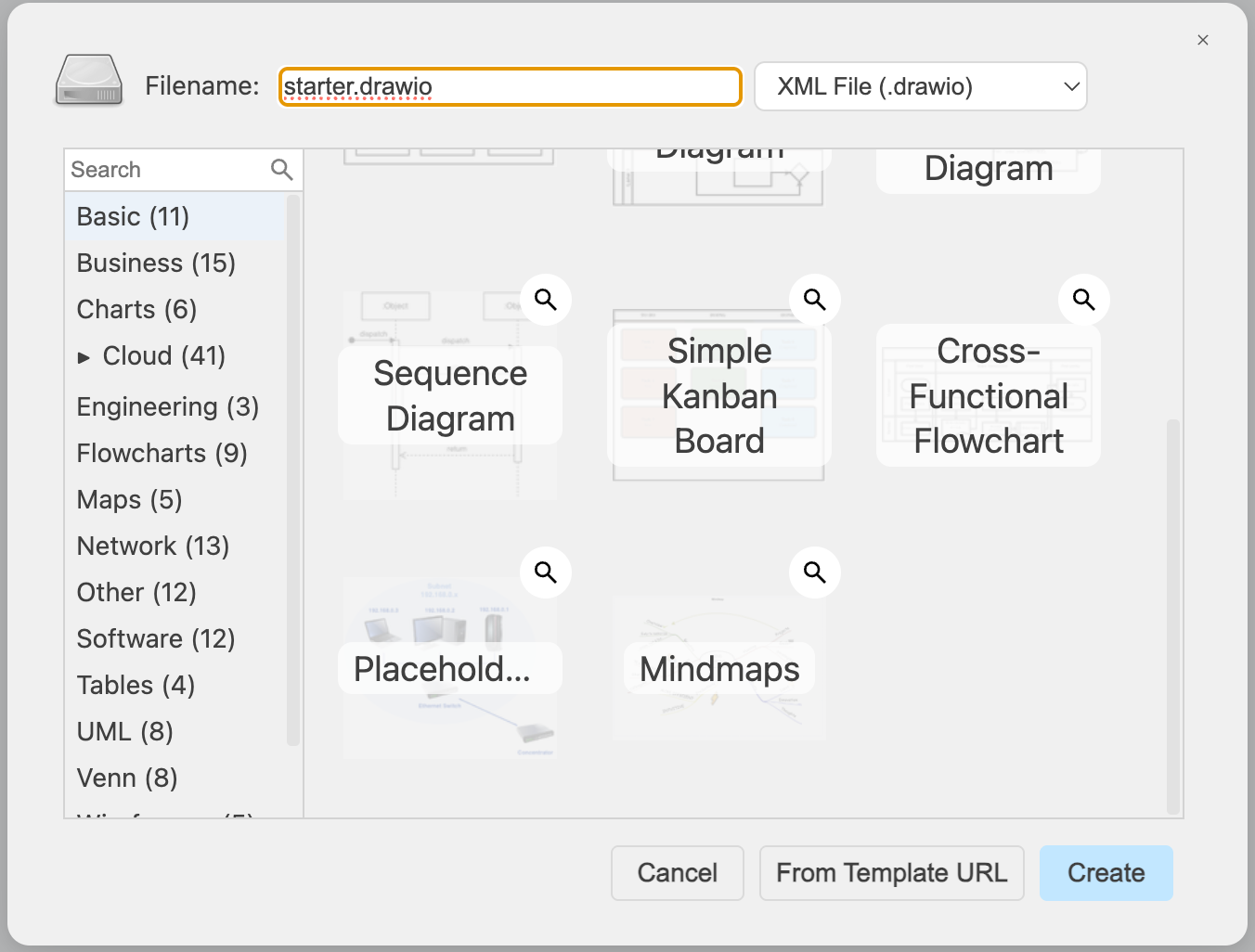 draw.io diagram types
The diagram editor includes tools like an infinite canvas, rulers, and auto-layouts. It also offers customisation options, including HTML text formatting, and Mermaid code generation. Draw.io is open source, allowing anyone to change, deploy, and integrate it. It is cross-platform and downloadable to the desktop, if you prefer. It integrates with Microsoft Sharepoint, OneDrive, Office 365, GitHub, Notion, Nextcloud and Jira.
Microsoft 365
As a student, I received a free subscription to Microsoft 365. I tend to use the desktop version of Word and Excel, rather than the browser versions. On a personal note I find it has more features. I only used it to write assignments as many universities request that they are in DOCX format.
MyBiB
Universities are very strict about plagiarism. If you’ve used information from a resource you must cite it in your assignment and reference it at the end. This is where MyBib comes in and saves the day.
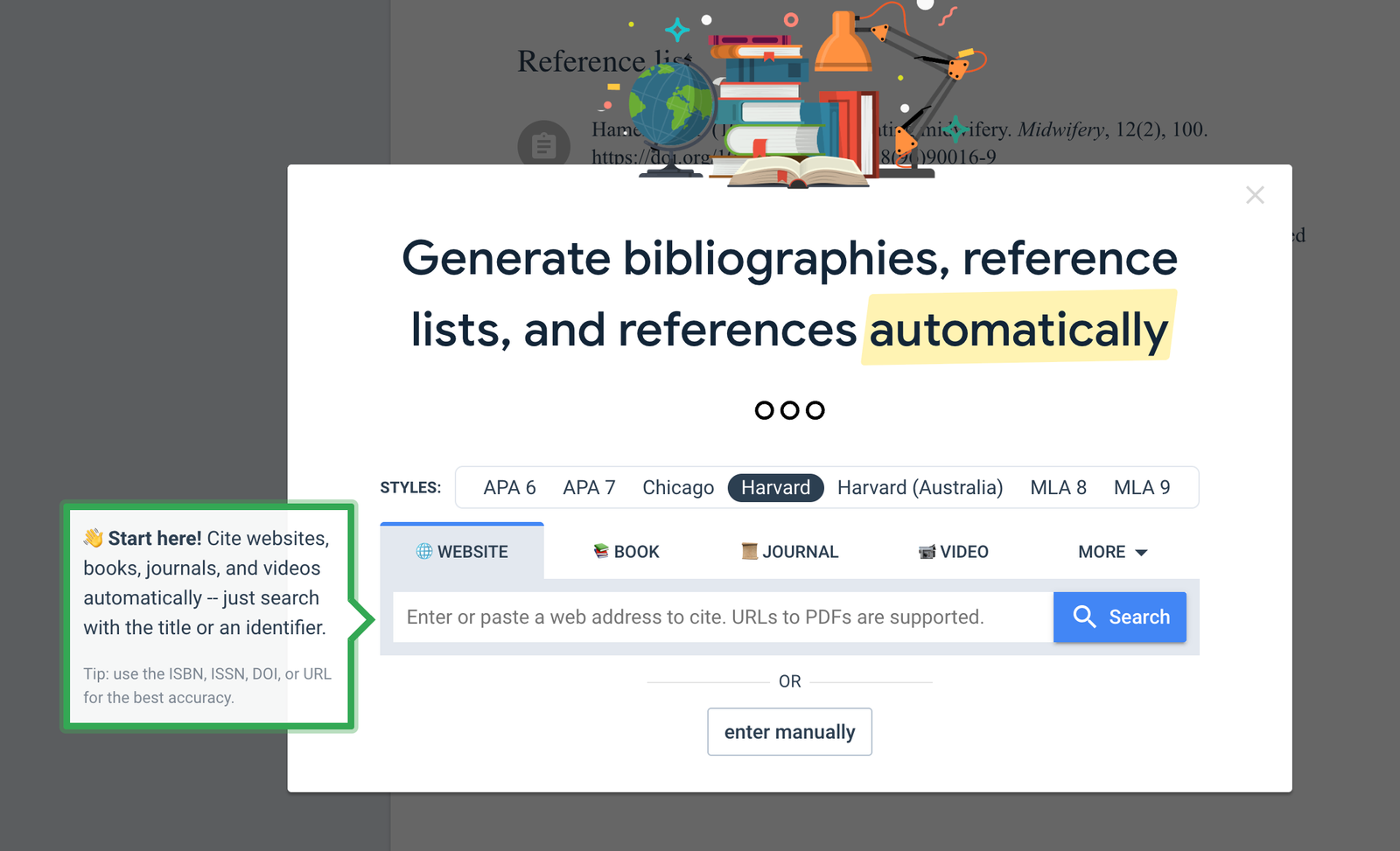 MyBib Introduction
MyBib comes in the form of a chrome extension or web app. Enter a URL or an ISBN and it will search and find an accurate citation in various styles like APA MLA and Harvard. It formats web pages and PDFs, allowing users to copy citations into your assignments.
Craft
Craft is a notion alternative that entered my workflow later in my studies. I used it to make notes, write down results from any tests, create a quick table of results. Again I created folders for each module. My favourite features were writing in Markdown and adding colours. You can also export it to PDF format for use with PDF Search. There are so many features that I don't use.
There are versions available for both Windows and Mac. I used mine as part of a Setapp subscription but there is a free educational version available.
Excalidraw
Excalidraw is a free online whiteboard tool. It's perfect for business planning visual brainstorming, design, and many more use cases.
It offers collaborative workspaces, visual tools, and templates. This makes it a versatile tool for both teams and individuals. There is a plus version if you need more management, collaborative, or AI features.
Programming Specific Apps
If you are undertaking a college course or degree where you will have to do some programming. Here are some recommendations:
Visual Studio Code
VS Code has been a popular free editor for over a decade. It offers AI-powered suggestions and intelligent completions for a powerful coding experience. Throughout my studies I programmed in Python, Java, JavaScript, and TypeScript.
If you program in many languages or frameworks you should set up profiles for each environment. This avoid loading of extensions and reducing conflicts between them.
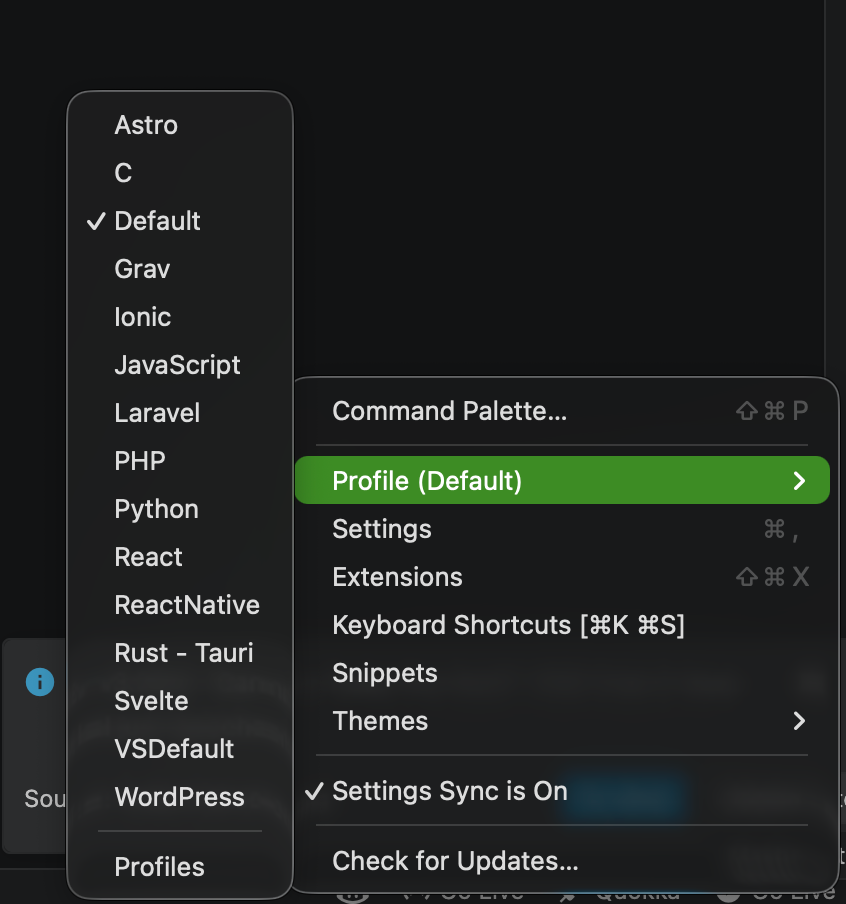 My profiles setup
Top Tip:
I had to work with LaTeX for Maths equations and found it simpler to do them in VS Code and copy them to Microsoft Word.
Polypane
For my honours project I built an accessible Progressive Web App (PWA). Polypane provided a free educational license for a year. The app allowed me to view and test my app in different screen sizes, even whilst interacting with one of them. You can test both light and dark mode side-by-side in the same view. There is a comprehensive list of tools available to improve testing and accessibility. This includes various forms of colour blindness dyslexia testing and other sight-related disabilities.
JetBrains IDE's
JetBrains offer a free educational license to their specialised software. This includes CLion, PHP Storm, Web Storm, IntelliJ and PyCharm.
I used IntelliJ for my Java projects rather than VS Code although things may have changed over the years. Many of the JetBrains IDEs are now free for non-commercial use.
Conclusion - My Top 3
Out of all the main tools I used, PDF Search was the most frequently employed and ultimately the best. Over the five years of my studies I’d amassed a wealth of resources including the module materials. Without it I would likely be likely be writing some of my assignments still!
In second place I would have to give it to MyBib. I find referencing the most frustrating part of university. MyBib saved the day.
Finally, in third place, draw.io for creating diagrams. I tried Visual Paradigm as an alternative but found that it was too powerful for my needs.