
17 Years with WordPress, One Flat-File Leap: My GravCMS Migration
After 17 years building with WordPress, I made a deliberate leap to GravCMS—a fast, flexible flat-file CMS with no database. The decision wasn’t quick, but it was driven by a need for speed, simplicity, and cleaner maintenance. Grav uses Twig templates, Markdown content, and YAML front matter, delivering a streamlined workflow, built-in caching, and retina-friendly media handling. This post breaks down why I migrated from WordPress to GravCMS, what I miss about WordPress, and whether the switch was worth it.
Table of contents:
What Is GravCMS?
-
Grav is a fast and flexible open-source content management system utilising a flat-file architecture. There is no database. You can install it manually or through composer.
-
Grav offers extensive documentation, tutorials, and guides. It utilises technologies like Twig, Markdown, and YAML, providing flexible configuration. It provides built-in support for taxonomies such as categories and tags.
-
Grav has simple user management, permission settings, and straightforward backup and restore. It runs on PHP 7.1.3 and greater and includes a powerful visual debug panel.
-
With support for a variety of image, video, sound, and file formats. Dynamic image manipulation is available for resizing cropping resampling effects and caching.
-
Automatic page link handling makes it easy to create links between pages.
-
Grav is the only CMS with native support for correctly displaying images on Retina and HiDPI.
What's Changed
Other than the platform I have decided to remove comments. I haven't had many comments over the past few years. When I have received feedback people have often emailed me or used the contact form. I have removed some out-of-date posts and projects related to Twitter (X).
Why Change from WordPress?
Leaving WordPress after 17 years wasn’t easy. In recent years decent web hosting seemed to be slowing things down. I’d integrated plugins into my theme removed unnecessary ones and even leveraged caching but nothing seemed to work. Adding more plugins, including AI, only made it worse. It was time to find an alternative.
What I Will Miss About WordPress
It took me a while to adjust to the Gutenberg editor and it will be one of the biggest misses for me. Don't get me wrong I like Markdown in Grav. I find it lacks a few features like managing target and rel attributes in links.
I’ll also miss the Rank Math plugin for managing my SEO. The traffic light scoring system is much more appealing.
What I Love About Grav
The speed! Navigating through your posts in admin and the frontend is fast and more intuitive. Caching comes as standard meaning there is no need to configure complicated plugins. SEO and backup come as standard too.
The plugin ecosystem is fully featured. I found a plugin to replace post navigation, a contact form, a newsfeed, and a sitemap. The plugin interface provides access to all settings for further tweaking. While professional plugins are available for purchase Trilby Media doesn’t nag or force upgrades.
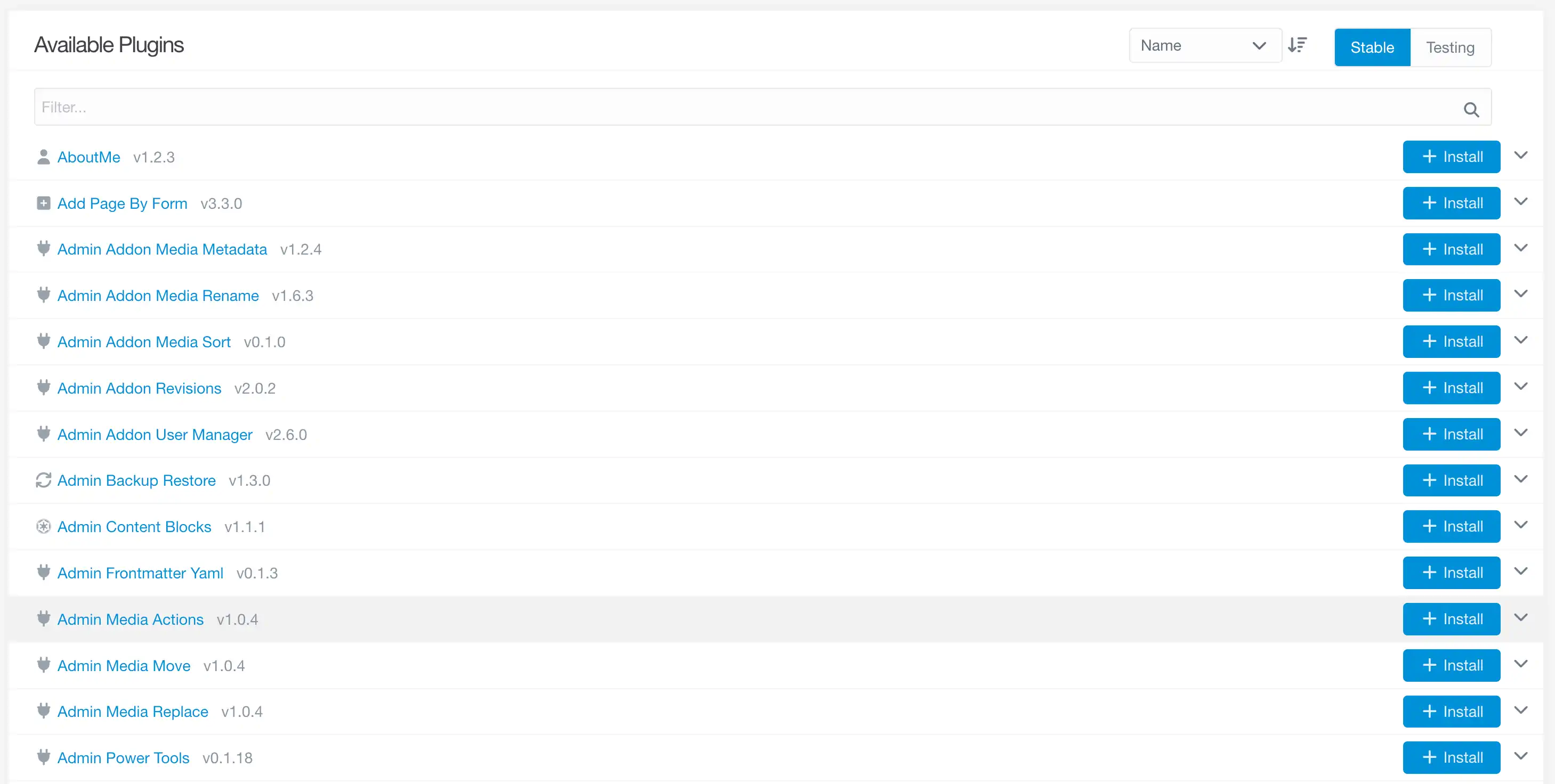
You have the option of using an admin interface or Grav can be utilised through the command line. Flexibility is key.
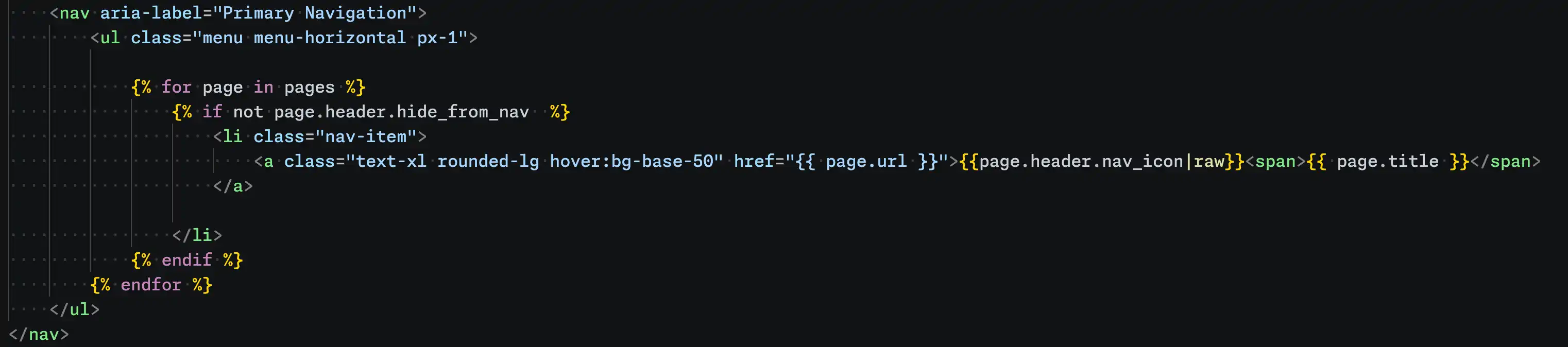
Creating the navigation was much simpler than WordPress. I used custom properties inside of Markdown file to hide certain top-level pages. For instance, the YAML hide_from_nav header prevents the archives page from appearing in the main navigation.
Problems
I exported all my WordPress data through the WordPress Grav exporter. Switching to Grav was easier but I had to do a lot of work on all the Markdown files. This involved removing excess metadata left by WordPress plugins.
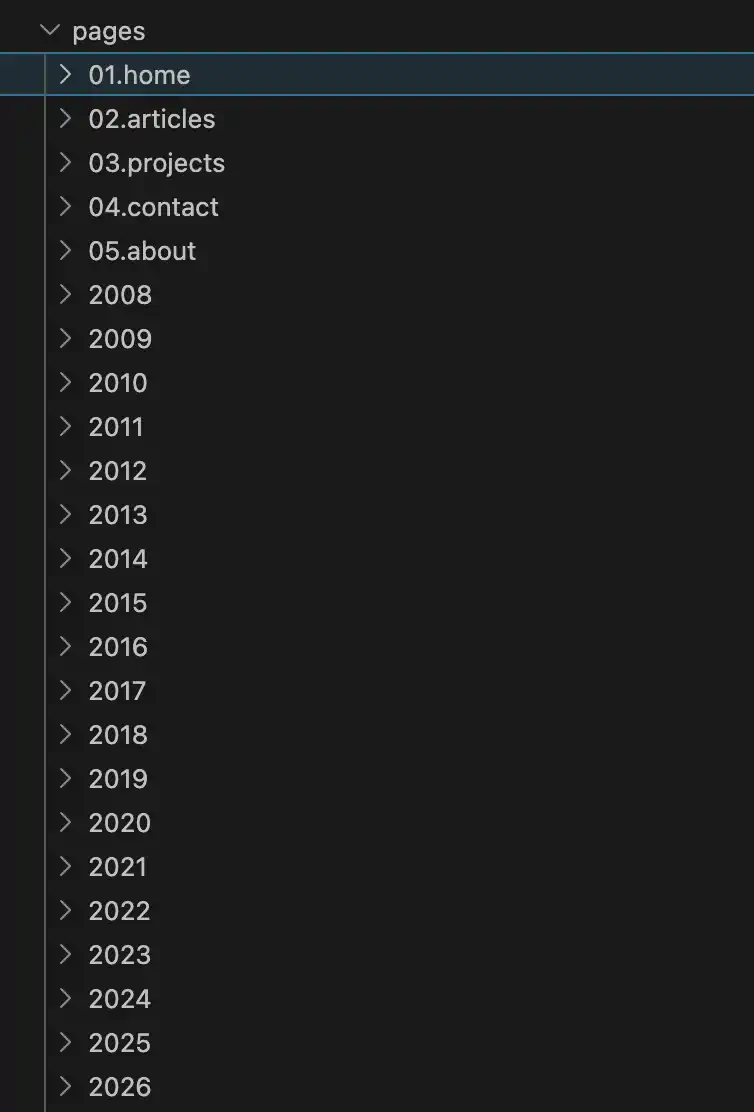
My permalink settings for my posts were in the following format site/year/post_name. The export changed the format to site/post_name. To keep this structure and to resolve this I created folders with all the years and added the posts inside them.
The syntax highlighter plugin works okay although I find it having issues with rendering PHP code. I am having minor issues with the search plugin, which I aim to rectify or switch to a different solution. After the switch to year based articles the related posts plugin doesn't work.
I encountered errors while navigating using the post navigation plugin. Any image with @2x in the filename crashed the pagination. I renamed all the images by removing @2x from the filename. See responsive images on the Grav documentation.
There was also an issue with pagination showing up when it wasn't needed. I found a solution in the following GitHub thread.
I had issues with the contact form rendering the whole page inside the form. To fix this I removed action and display parameters from the form.
I am not the biggest fan of the URL structure for search, categories and tag pages although I will get used to it. It's not as pretty as the WordPress way.
Development
As a big fan of Tailwind and Daisy UI, I decided to stick with them and upgrade to the latest versions. My custom WordPress theme uses PHP templates while Grav is similar but uses TWIG files which took a bit of getting used to. I’ve also created several reusable components to save time.
Stats
The proof of the pudding comes in the statistics. One thing to mention is that I have reduced images loading on the homepage from ten to five. Each version is tested in incognito mode on Google Chrome to avoid loading chrome extensions.
| Homepage | Grav | WordPress |
|---|---|---|
| Requests | 16 | 34 |
| Resources | 732 Kb | 2.6 Mb |
| Time (Fully loaded) | 692 milliseconds | 18.38s |
As you can see the amount of HTTP requests have more than halved. The homepage is loaded fully within a second in comparison to 18 seconds for the WordPress site.
| Blog Post | Grav | WordPress |
|---|---|---|
| Requests | 12 | 95 |
| Resources | 655 Kb | 6.8Mb |
| Time | 5.61s | 2 minutes |
Since not everyone visits the homepage I wanted to compare a typical blog post used on both platforms. Using Grav has significantly reduced requests from 95 to 12. The time WordPress takes to load can be crucial in keeping visitors engaged.
Conclusion
I decided to make the switch in October and the new design was live and ready in March. I will miss WordPress after 17 years of using it, but I don't regret switching. I am looking forward to Grav CMS and its future and I'm sure I will be reunited with WordPress again. Would I recommend others switching? For beginners, I highly recommend Grav CMS. However, managing thousands of posts becomes more challenging but still achievable, if you have the time and patience.