
Posts in category: WordPress

WordPress Shell Woes, WOW Updates - July 2026
Welcome to Hot Web Dev July 2026, featuring the latest in web development. This month, we discuss a serious WordPress vulnerability and why it's important to keep your software updated. There is an update on my recent job switch and why you should never give up. The tool of the month is a terminal treasure.

WordPress 7.0, NPM Security, JavaScript - May 2026
Welcome to Hot Web Dev May 2026 featuring the latest in web development. This month we look at the new bumper update that is WordPress 7.0. We look at further attacks on package managers and how they are fighting back. Learning resources show you the hard parts of JavaScript and how to master them. The tool of the month is an animated freebie with no sign up required.
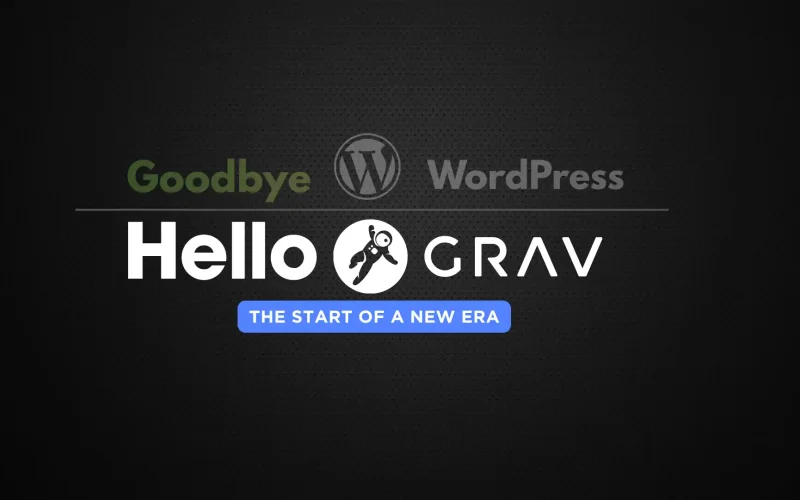
17 Years with WordPress, One Flat-File Leap: My GravCMS Migration
After 17 years building with WordPress, I made a deliberate leap to GravCMS—a fast, flexible flat-file CMS with no database. The decision wasn’t quick, but it was driven by a need for speed, simplicity, and cleaner maintenance. Grav uses Twig templates, Markdown content, and YAML front matter, delivering a streamlined workflow, built-in caching, and retina-friendly media handling. This post breaks down why I migrated from WordPress to GravCMS, what I miss about WordPress, and whether the switch was worth it.

Hot New Web Dev - October 2024
Welcome to Hot Web Dev October 2024, featuring the latest technology and web development news. This month we check out Svelte 5 and the new CLI which aims to speed up development by reducing set-up time. We feature an in-depth section on JavaScript and the tool of the month will bring your web app to a desktop or mobile near you.

Hot New Web Dev - September 2024
Welcome to Hot Web Dev September 2024, featuring the latest technology and web development news. September has been a bumper month with the release of MacOS Sequoia and iOS 18. Finally, built-in windows snapping. Another cool feature is iPhone mirroring. This month’s edition covers WordPress and the battle with its creator and a company that doesn’t like to give back. The tool of the month is a suite of handy tools that works in the browser and doesn’t require uploading any data to a server.

Build an Awesome Daisy UI WordPress Theme - Part 4
Welcome to Building an Awesome Daisy UI WordPress Theme – Part 4. Daisy UI is an impressive selection of Tailwind components to build your next WordPress classic theme. You can have your custom theme up and running within a few weeks. In the first part of the series, we set up the environment to build an awesome Daisy UI WordPress theme and added a basic layout, footer, and navigation in the second part. The third part made it more mobile-friendly, tidied the search form and added a sidebar. The fourth and final part tidies the post meta and adds single post navigation, comments and page navigation.

How To Use WordPress Page Navi With Daisy UI Navigation
In 2023 I revamped my WordPress theme to include Daisy UI. In this article, I will show you how to change the default styles of the popular WordPress Page Navi plugin to use the styles created by Daisy UI without editing the plugin.

Build an Awesome Daisy UI WordPress Theme - Part 3
Daisy UI is an awesome selection of Tailwind components for your next WordPress classic theme. You can have your custom theme up and running within a few weeks. In the first part of the series, we set up the environment to build an awesome Daisy UI WordPress theme and added a basic layout, footer, and navigation in the second part. This part features jazzing up the search form in the navigation, making it a little more mobile-friendly and adding a sidebar and widgets.

Build an Awesome Daisy UI WordPress Theme - Part 2
Daisy UI is an awesome selection of Tailwind components for your next WordPress classic theme. You can have your custom theme up and running within a few weeks. In the first part of the series, we set up the environment to build an awesome Daisy UI WordPress theme. This part features building the basic layout, navigation and footer.

The Unstoppable Rise of WordPress: 18 Must-Know Stats for 2023
WordPress started as a simple blogging platform but has grown into an unstoppable force that now powers over a third of all websites. Like a snowball rolling down a mountain, WordPress keeps gathering speed and momentum. Where is this juggernaut heading in 2023? Let’s look at the key WordPress statistics to find out!

Build an Awesome Daisy UI WordPress Theme - Part 1
Daisy UI is an awesome selection of Tailwind components for your next WordPress classic theme. You can have your custom theme up and running within a few weeks. In this multipart tutorial, we will show you first how to set up your environment to build an awesome Daisy UI WordPress theme.

Revamping Worldoweb: A Dive into My New Design with Daisy UI
Shoutout to Daisy UI: If you’ve been away from worldoweb for some time or just chanced upon it, you’re witnessing my brand-new design. Initiated in early August, I set the month-end as my deadline, and in this post, I’ll walk you through the instruments I utilised and weigh in on the merits and pitfalls of the development process.