
Posts tagged with: Tailwind
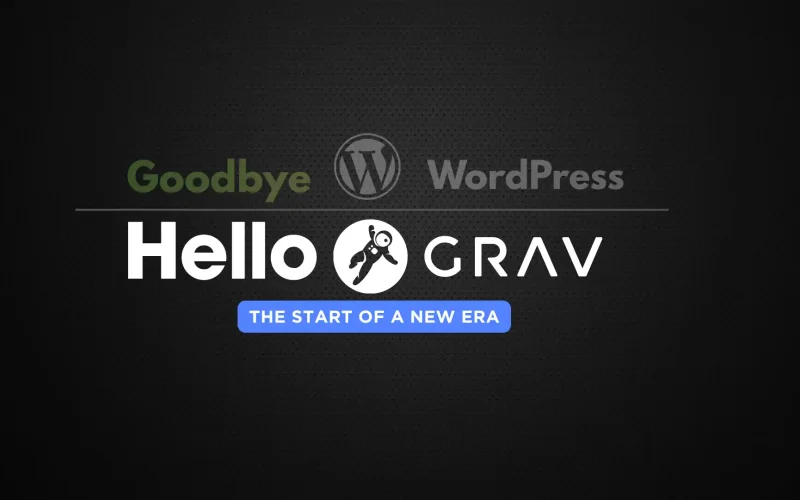
17 Years with WordPress, One Flat-File Leap: My GravCMS Migration
After 17 years building with WordPress, I made a deliberate leap to GravCMS—a fast, flexible flat-file CMS with no database. The decision wasn’t quick, but it was driven by a need for speed, simplicity, and cleaner maintenance. Grav uses Twig templates, Markdown content, and YAML front matter, delivering a streamlined workflow, built-in caching, and retina-friendly media handling. This post breaks down why I migrated from WordPress to GravCMS, what I miss about WordPress, and whether the switch was worth it.

Hot Web Dev Magazine - 12 Tools From 2024
If you have been following the monthly Hot Web Dev magazine, you will find at the end of each edition, I recommend a tool of the month. Over the years, the tools used have varied from open-source apps and JavaScript UI frameworks to server tools, AI, CSS, desktop and web applications. Here’s a list of the tools from 2024, along with updates on new features and development (or lack of).

February 2025 - Hot New Web Dev
Welcome to Hot Web Dev February 2025, featuring the latest technology and web development news. In this month’s edition, we go back in time to revisit an old coding academy. We have our usual section on coding featuring Laravel and Svelte. The tool of the month is another web platform framework.

January 2025 - Hot New Web Dev
Welcome to Hot Web Dev January 2025, featuring the latest technology and web development news. This month, we look at the new release of the Tailwind CSS and its exciting new features and improvements. The tool of the month is a new open-source JS module that can add effortless camera and screencast integration into your project.

New Svelte 5 Guessing Game 2024
In this tutorial, you’ll build a fun and interactive guessing game using Svelte 5, the latest version of the lightweight JavaScript framework designed for creating fast and reactive web applications. This game will challenge users to guess a randomly generated number within a certain range, offering real-time feedback on whether their guesses are too high or too low. By leveraging Svelte’s powerful reactivity and efficient state management, you’ll create a smooth user experience with minimal code, making it an ideal project to explore Svelte 5’s new features and capabilities.

Hot Web Dev - 12 Useful Top Tools of 2023
If you have been following the monthly Hot Web Dev magazine you will find the latest recommended development tool in each edition. The tools over the years vary from Open Source, JavaScript UI frameworks, server tools, AI, CSS, desktop and web apps. Here is the list of the tools chosen for every month during 2023 with updates on new features.

Build an Awesome Daisy UI WordPress Theme - Part 4
Welcome to Building an Awesome Daisy UI WordPress Theme – Part 4. Daisy UI is an impressive selection of Tailwind components to build your next WordPress classic theme. You can have your custom theme up and running within a few weeks. In the first part of the series, we set up the environment to build an awesome Daisy UI WordPress theme and added a basic layout, footer, and navigation in the second part. The third part made it more mobile-friendly, tidied the search form and added a sidebar. The fourth and final part tidies the post meta and adds single post navigation, comments and page navigation.

How To Use WordPress Page Navi With Daisy UI Navigation
In 2023 I revamped my WordPress theme to include Daisy UI. In this article, I will show you how to change the default styles of the popular WordPress Page Navi plugin to use the styles created by Daisy UI without editing the plugin.

Build an Awesome Daisy UI WordPress Theme - Part 3
Daisy UI is an awesome selection of Tailwind components for your next WordPress classic theme. You can have your custom theme up and running within a few weeks. In the first part of the series, we set up the environment to build an awesome Daisy UI WordPress theme and added a basic layout, footer, and navigation in the second part. This part features jazzing up the search form in the navigation, making it a little more mobile-friendly and adding a sidebar and widgets.

Build an Awesome Daisy UI WordPress Theme - Part 2
Daisy UI is an awesome selection of Tailwind components for your next WordPress classic theme. You can have your custom theme up and running within a few weeks. In the first part of the series, we set up the environment to build an awesome Daisy UI WordPress theme. This part features building the basic layout, navigation and footer.

Build an Awesome Daisy UI WordPress Theme - Part 1
Daisy UI is an awesome selection of Tailwind components for your next WordPress classic theme. You can have your custom theme up and running within a few weeks. In this multipart tutorial, we will show you first how to set up your environment to build an awesome Daisy UI WordPress theme.

Revamping Worldoweb: A Dive into My New Design with Daisy UI
Shoutout to Daisy UI: If you’ve been away from worldoweb for some time or just chanced upon it, you’re witnessing my brand-new design. Initiated in early August, I set the month-end as my deadline, and in this post, I’ll walk you through the instruments I utilised and weigh in on the merits and pitfalls of the development process.